
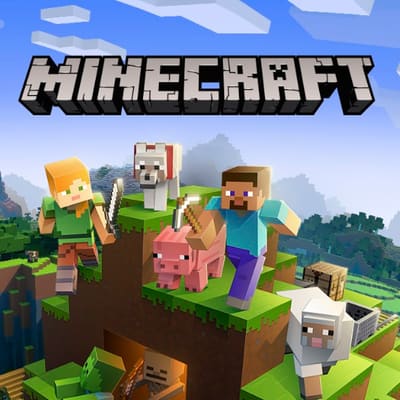

Minecraft Classic
Adventure GamesMore games
Chicken Sword: Ninja Master
Adventure Games
Duck Life: Battle
Adventure Games
Fancy Pants
Adventure Games
Super Oscar
Adventure Games
Duck Life Adventure (Demo)
Adventure Games
Feets Doctor Urgent Care
Adventure Games
Duck Life 2
Adventure Games
Scary Maze
Adventure Games
Daily Dadish
Adventure Games
Duck Life 3
Adventure Games
Duck Life
Adventure Games
Dadish 3
Adventure Games
Apple Knight
Adventure Games
Thief Puzzle
Puzzle Games
Senya and Oscar 2
Idle Games
Papa Louie 2
Platform Games
Amazon Spider Solitaire
Card Games
Carrom Multiplayer
Board Games
Blumgi Bounce
Basketball Games
Stickman Run
Stickman Games
Ludo Online
Board Games
Auto Ninja
Running Games
Stickman Archero Fight
Stickman Games
Stickman Maze Run
Platform Games- Published on Poki
- Aug 23, 2026
- Last updated
- Sep 15, 2026
- Play on
- Web browser
Ready when you are
Tap Play now to open Minecraft Classic in a new tab. The game runs on our partner site, so you can keep this page open and come back for more games.
About Minecraft Classic
Minecraft Classic is a browser-based creative sandbox focused on placing and removing blocks. There are no modern survival systems here; the appeal is experimenting with simple structures and terrain.
How to play Minecraft Classic
Use the movement, camera and block controls displayed by the game. Select a block type, choose a location and place or remove blocks to shape the environment.
Building tips
- Start with a simple footprint before adding height.
- Use contrasting blocks to make doors and edges easy to see.
- Save larger ideas for after you are comfortable with movement and placement.
Before you start
Allow the player to finish loading, then use the current on-screen prompts for your device. If an input does not respond, click or tap the player once before retrying. Controls and saved progress are managed by the game provider and can differ between browser versions.
Find a related challenge
Continue with adventure games, or compare the other published titles in the complete game library.